Whether you are building workflow automation utilities or document management modules for a web app, merging multiple PDF files into a single master document is a common requirement. Traditionally, this meant uploading heavy binary files to a backend server (running Node.js, Python, or Java), executing a library to merge them, and sending the compiled file back to the browser.
However, server-side merging introduces latency, consumes server RAM and CPU, and poses security risks—especially when handling sensitive documents like business contracts or personal financial files. The solution is client-side PDF merging. By executing the merge logic directly inside the user's browser, you eliminate server overhead and secure the data. In this guide, we will implement client-side PDF merging using the popular library pdf-lib.
1. Comparing Server-Side vs. Browser Client-Side PDF Merging
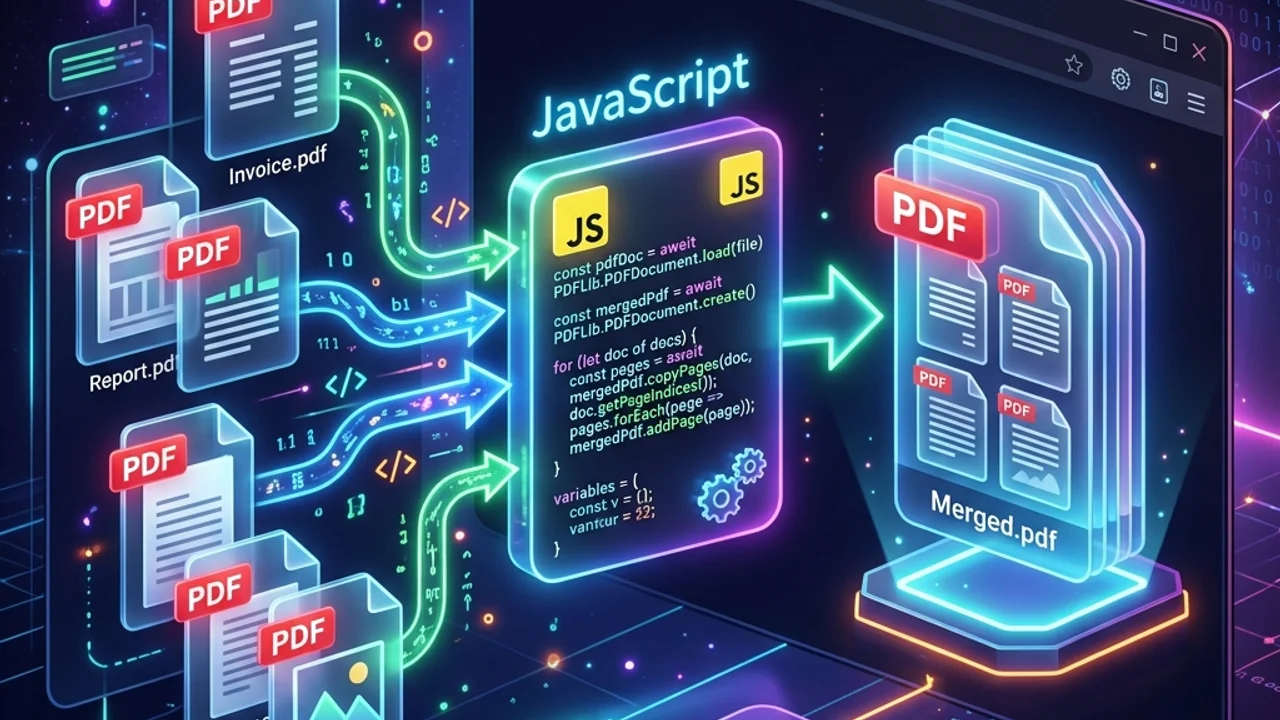
Client-side PDF merging reads uploaded files as binary arrays (ArrayBuffer) via the HTML5 File API, instantiates them as document objects, and merges pages in browser memory.
Moving the processing load to the client is highly cost-effective. It reduces server infrastructure costs to zero, making it ideal for free web tools or SaaS applications.
| Comparison | Server-Side PDF Merging | Client-Side PDF Merging |
|---|---|---|
| Data Privacy & Leak Risk | High (files sent over the wire and saved to server disk) | Zero (files never leave the user's device) |
| Server Cost & Resource Use | High CPU/RAM load on server during file processing | Zero (utilizes client device processor) |
| Latency & Network wait | High (network upload and download times are mandatory) | Near-instant (no files are transferred over the network) |
| File Size Limits | Limited only by server specs and timeouts | Limited by client device browser memory (RAM) |
2. Implementing PDF Merging with pdf-lib
Let's write a module to merge multiple PDF files in-memory using pdf-lib. This script runs on modern ES6 browser environments.
1) Installation
- Via CDN:
<script src="https://unpkg.com/pdf-lib/dist/pdf-lib.min.js"></script> - Via npm:
npm install pdf-lib
2) PDF Merging Script Code
import { PDFDocument } from 'pdf-lib';

/**
 * Merges multiple PDF files in the browser and triggers an automatic download.
 * @param {File[]} pdfFiles - Array of File objects selected from a file input.
 */
export async function mergePDFFiles(pdfFiles) {
  try {
    // 1. Create a new empty master PDF Document
    const mergedPdfDoc = await PDFDocument.create();

    // 2. Loop through each file sequentially to merge pages
    for (const file of pdfFiles) {
      // Read File data as an ArrayBuffer
      const fileArrayBuffer = await file.arrayBuffer();

      // Load the PDF document
      const pdfDoc = await PDFDocument.load(fileArrayBuffer);

      // Get all page indices of the loaded PDF
      const pageIndices = pdfDoc.getPageIndices();

      // Copy pages into the master document
      const copiedPages = await mergedPdfDoc.copyPages(pdfDoc, pageIndices);

      // Add copied pages to the master document
      copiedPages.forEach((page) => {
        mergedPdfDoc.addPage(page);
      });
    }

    // 3. Save the master PDF document as bytes (Uint8Array)
    const mergedPdfBytes = await mergedPdfDoc.save();

    // 4. Create a Blob and Object URL for browser download
    const blob = new Blob([mergedPdfBytes], { type: 'application/pdf' });
    const downloadUrl = URL.createObjectURL(blob);

    // 5. Trigger download via a temporary anchor element
    const link = document.createElement('a');
    link.href = downloadUrl;
    link.download = `merged_${Date.now()}.pdf`;
    document.body.appendChild(link);
    link.click();

    // 6. Cleanup DOM and revoke object URL to free up heap memory
    document.body.removeChild(link);
    URL.revokeObjectURL(downloadUrl);

    return true;
  } catch (error) {
    console.error("Error during PDF merging:", error);
    throw error;
  }
}
3. Optimizing Memory for Large PDF Files
Because client-side operations rely on the user's local hardware resources, keep these best practices in mind to prevent browser tab crashes:
- Avoid Parallel Page Copying: Do not copy pages using parallel mapping like
Promise.all(). Merging large files in parallel can spike RAM usage. Using a sequentialfor...ofloop instead keeps memory footprints low. - Index Selection: Rather than copying all pages, you can parse the page index array and select specific pages (e.g., only cover pages or page ranges) to pass into
copyPages, reducing processing overhead.
4. Frequently Asked Questions (FAQ)
Q1. How do I merge password-protected PDF files?
Attempting to load encrypted PDFs using PDFDocument.load(bytes) will throw an error. You must capture the user's password and pass it into the loading options parameters: await PDFDocument.load(bytes, { ignoreEncryption: false }) or decrypt it using a password string.
Q2. Are digital signatures and form data preserved after merging?
Copying pages using copyPages treats pages as standalone layouts. Any existing digital signatures or interactive form inputs (AcroForm data) may be lost. If you need to preserve form data, you must copy the AcroForm definition fields from the source documents to the master document using pdf-lib form helper APIs.
5. Live Testing and Utilities
If you want to test how your pdf-lib configuration handles large documents, try our free client-side PDF Merger. Your documents are processed locally inside your browser sandbox. To render PDF documents onto high-resolution image canvases afterwards, read our PDF Rendering & Canvas Scaling Guide blog post.