Whether writing code, editing draft articles, or reviewing server configurations, we frequently ask: "What is the difference between these two text blocks?" While you can easily spot changes in a few lines of code by eye, manually comparing files that are hundreds or thousands of lines long is slow, tedious, and prone to error.
In software engineering, automatically identifying and visualizing textual differences is called a "Diff" operation, and it forms the foundation of modern version control systems like Git. This guide explains the Longest Common Subsequence (LCS) algorithm that powers diff engines, compares common diff visualization layouts, and shares best practices for comparing files securely.
1. How Diff Works: The Longest Common Subsequence (LCS) Algorithm
To compare files, computers do not simply scan line-by-line from top to bottom. If a single character is inserted at the beginning, all subsequent lines shift down, causing a naive parser to flag the entire file as mismatched. To resolve this, diff engines use the Longest Common Subsequence (LCS) algorithm.
What is LCS?
Given two sequences (or strings), the LCS algorithm finds the longest subsequence common to both. Unlike substrings, subsequences do not need to occupy consecutive positions in the original strings; they only need to appear in the same relative order.
For example, given two strings A = "ABCBDAB" and B = "BDCABA":
- The Longest Common Subsequence (LCS) is
"BCBA", with a length of4. - Using this common sequence as an anchor, the diff engine identifies exactly which characters were added (
+) or deleted (-) around it.
This table contrasts the LCS algorithm with the Longest Common Substring (LCST) algorithm:
| Feature | Longest Common Subsequence (LCS) | Longest Common Substring (LCST) | Primary Distinction |
|---|---|---|---|
| Matching Rule | Elements can be non-consecutive if order is kept | Matches must be adjacent and consecutive | Gap tolerance |
| Example Pair | LCS of "ABCD" & "ACBD" is "ABD" (length 3) |
LCST of "ABCD" & "ACBD" is "AB" or "CD" (length 2) |
Match rigidity |
| Main Use Case | File diff checkers, Git merge conflicts | Plagiarism detection, DNA sequence matching | Flexibility in change tracking |
2. Types of Diff Visualizations
Modern diff checkers display differences in two primary layouts. Choose the format that best fits your workflow:
Side-by-Side (Split View)
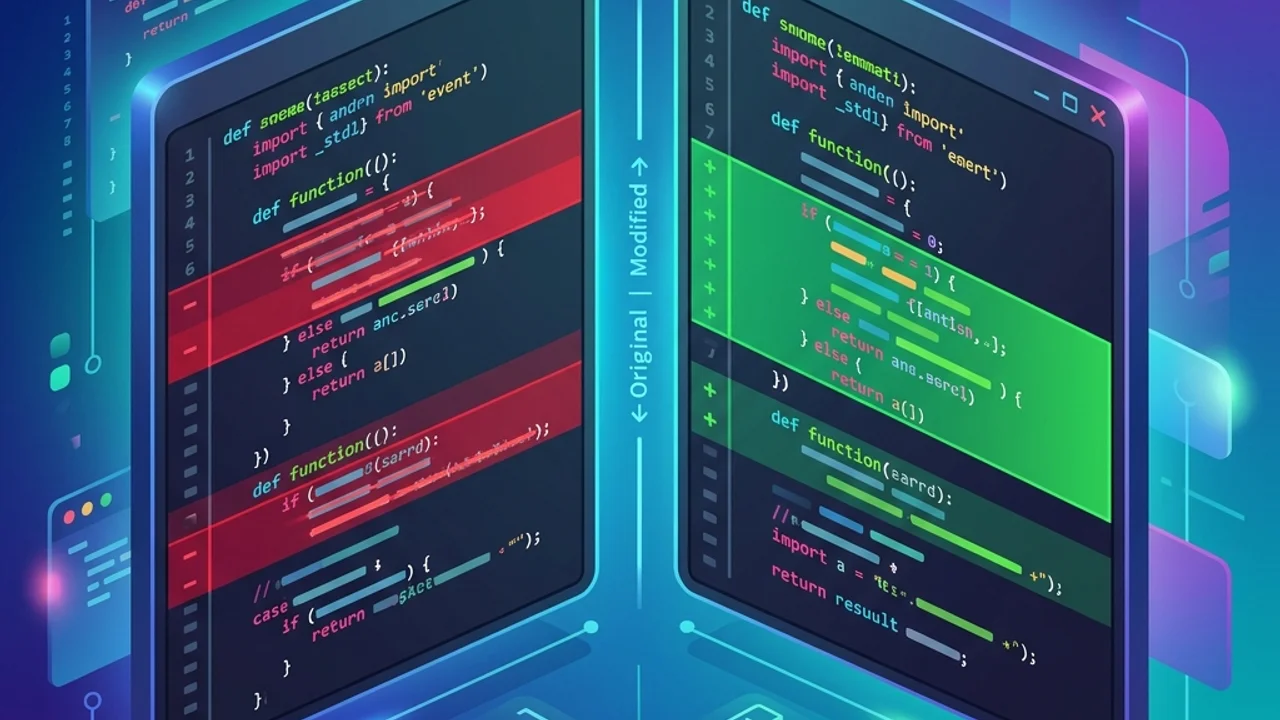
Divides the screen into two columns, placing the original file on the left and the modified version on the right. This layout aligns changes horizontally, making it easy to identify structural updates, shifted code blocks, and layout changes.
Unified View
Combines both files into a single editor window, displaying differences sequentially. Removed lines are highlighted in red (-), and added lines are highlighted in green (+). This is ideal for quickly scanning code edits without horizontal scrolling. This is the layout used by the command line interface git diff.
3. Best Practices for Secure Code Comparison
Protect your proprietary code and streamline comparisons with these guidelines:
- Ensure Local Processing: Copying proprietary source code or client data into random online diff generators is a severe security risk. Always use privacy-focused tools that run diff comparisons locally in your browser memory via JavaScript, rather than sending your data to external servers.
- Filter Out Whitespace: Spaces, tabs, and line endings (CRLF vs. LF) can trigger hundreds of false alerts, cluttering your comparison. Toggle the "Ignore Whitespace" and case-insensitive settings in your diff tool to focus only on actual logic changes.
4. Frequently Asked Questions (FAQ)
Q1. Do diff tools support character-level highlighting? A1. Yes. Most high-performance tools first run a line-by-line comparison to locate mismatched blocks. Then, they run a secondary character-level comparison inside those lines to highlight specific modified letters, missing punctuation, or typos in darker shades of green or red.
Q2. How do diff engines handle moved text blocks? A2. If a large block of code is moved to another section of a file, simple LCS engines will mark the original block as deleted and the new block as inserted. Advanced diff checkers use block-hashing algorithms to detect moves, highlighting them with blue borders or labels.
Q3. How is diff used to resolve Git merge conflicts? A3. When multiple developers edit the same line, Git flags a merge conflict. It outputs a 3-way diff showing your changes, their changes, and the original code in the common ancestor commit. This serves as a guide for selecting which edits to keep.
5. Secure, Serverless Diff Comparison Online
If you need to compare sensitive config files or proprietary code without compromising security, use our free Diff Checker.
It operates 100% client-side inside your browser, ensuring no file data ever leaves your computer. It supports split-view highlights, character-level diffs, and ignores whitespace differences. If you are cleaning up complex data formats or validating code strings, pair it with our JSON Formatter or explore our Regex Tester guide to build a complete developer toolkit.
Recommended Reading
- JSON Formatter Guide: Validate and format JSON configurations.
- Regular Expression Cheatsheet: Master pattern matching for search and validation.