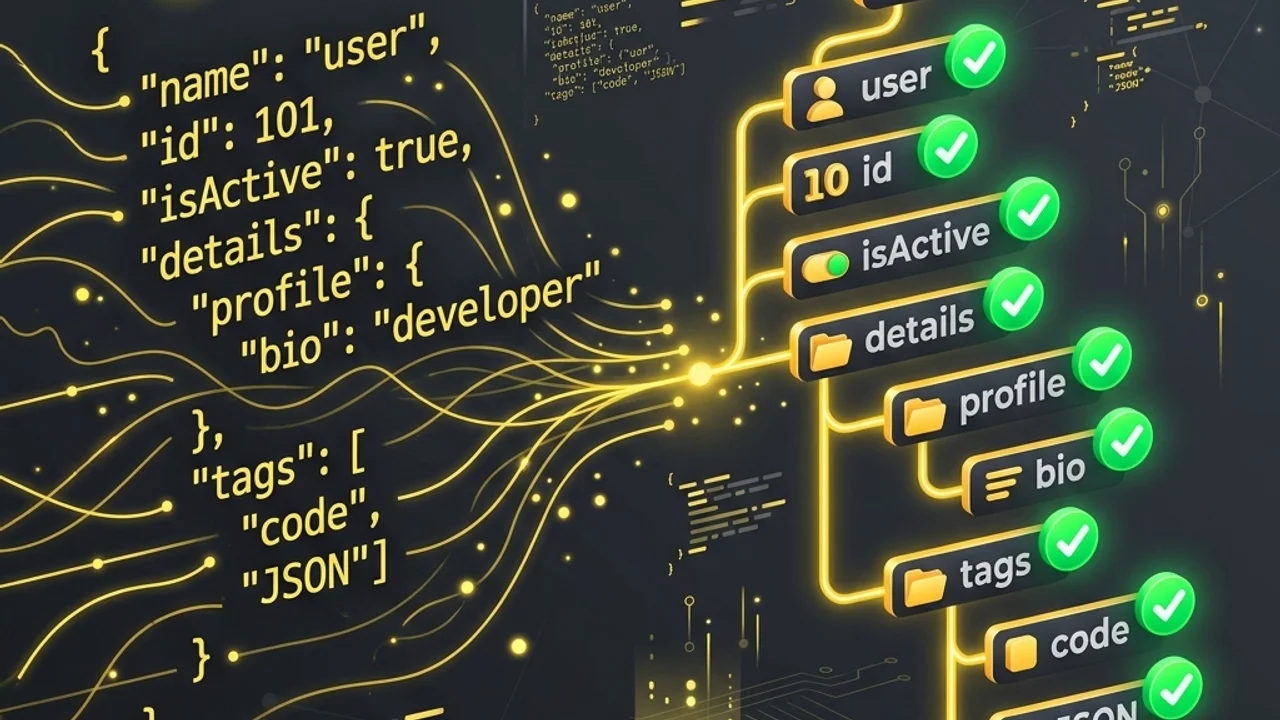
In modern web development and API communication, JSON (JavaScript Object Notation) is the undisputed standard for data exchange. Its lightweight structure and human-readable format make it the default choice for REST APIs, application configuration files, and NoSQL databases.
However, raw JSON data transmitted over networks or saved in databases is usually minified into a single, compact line to reduce bandwidth. For developers, reading and debugging minified text is nearly impossible. Moreover, a single missing double quote or a misplaced comma will break the parser, causing application crashes. This guide breaks down the RFC 8259 JSON specification, highlights common syntax errors, and shares best practices for formatting and validating JSON.
1. Syntax Rules of the RFC 8259 JSON Specification
While JSON is simple, it enforces rigid syntax rules. The global RFC 8259 and ECMA-404 specifications mandate these strict formatting guidelines:
① Double Quotes Are Mandatory
In JavaScript or other scripting languages, you can wrap strings in either single (') or double (") quotes. In standard JSON, only double quotes are permitted for both object keys and string values. Using single quotes triggers immediate parsing errors.
② No Trailing Commas
While leaving a trailing comma after the final item in an array or object is permitted in many programming languages, JSON strictly forbids it. A trailing comma causes the parser to expect another element, leading to syntax failures.
③ Comments Are Not Supported
JSON was created strictly for data interchange, so it excludes support for code comments (// or /* ... */). Adding explanations inside a JSON config file will invalidate it.
This table contrasts the differences between standard JavaScript Object Literals and compliant RFC 8259 JSON format:
| Syntax Feature | JavaScript Object Literal | RFC 8259 JSON Standard | Violation Consequence |
|---|---|---|---|
| String Enclosure | Single (') or Double (") quotes |
Double quotes (") only |
Parsing error |
| Object Key Formatting | Quotes optional (e.g., key: "val") |
Must be double-quoted (e.g., "key": "val") |
Parsing error |
| Trailing Commas | Allowed and often recommended | Strictly prohibited | Parsing error |
| Comments | Full support (//, /* */) |
Not allowed | Parsing error |
| Permitted Types | Functions, undefined, NaN, Infinity |
String, Number, Boolean, Null, Object, Array | Conversion failure |
2. Common JSON Parsing Errors and Troubleshooting
Understanding parser error messages makes debugging broken API payloads fast:
Unexpected token ' in JSON: This means you used single quotes instead of double quotes to wrap a string value or an object key. Replace them with double quotes.Unexpected token } in JSON: This usually points to a trailing comma left at the end of an array or object. Locate the closing curly brace and delete the comma preceding it.- Missing Character Escapes: If your string values contain double quotes or backslashes (
\), you must escape them (e.g.,\"or\\). Unescaped quotes terminate the string prematurely, confusing the parser.
3. Best Practices for Formatting and Validating JSON
Follow these standards to format data cleanly and manage larger payloads:
- Select the Right Indentation: Most formatters use 2 spaces or 4 spaces for readability.
- 2 Spaces: Recommended for deep, complex nested structures to prevent lines wrapping on smaller screens.
- 4 Spaces: Matches standard code editor indentation, making smaller files highly legible.
- Use Streaming for Large Payloads: Parsing massive files (gigabytes in size) using standard
JSON.parse()can exhaust browser memory and cause crashes. Instead, use stream parsing libraries to process the file in smaller chunks.
4. Frequently Asked Questions (FAQ)
Q1. What should I do if I must include comments in my JSON file? A1. Standard JSON does not allow comments. If you need comments for configuration files, consider using JSONC (JSON with Comments), JSON5, or switching to YAML which naturally supports comments.
Q2. Why does the order of my keys change after formatting?
A2. According to RFC 8259, a JSON object is defined as an "unordered set of name/value pairs." The order of keys is not guaranteed by the standard. If sequence is critical, wrap the items inside an ordered array ([]).
Q3. Are decimal numbers supported in JSON?
A3. Yes, positive and negative decimal numbers (e.g., 0.75, -10.5) are fully supported. However, leading zeros (like 075) are invalid under the RFC specification.
5. Validate Your JSON Data Locally in Seconds
You don't need to load heavy IDEs or desktop applications just to format a quick configuration block.
Our free JSON Formatter operates client-side inside your browser. None of your data is sent to external web servers, protecting sensitive API keys or client records from leakage. Use it to validate, prettify, or minify JSON structures instantly. To compare different versions of your data, pair it with our Diff Checker or utilize our Regex Tester for custom pattern parsing.
Recommended Reading
- Text Diff Checker Guide: Learn how to compare code files and strings line-by-line.
- Regular Expression Cheatsheet: Master pattern matching for data validation.