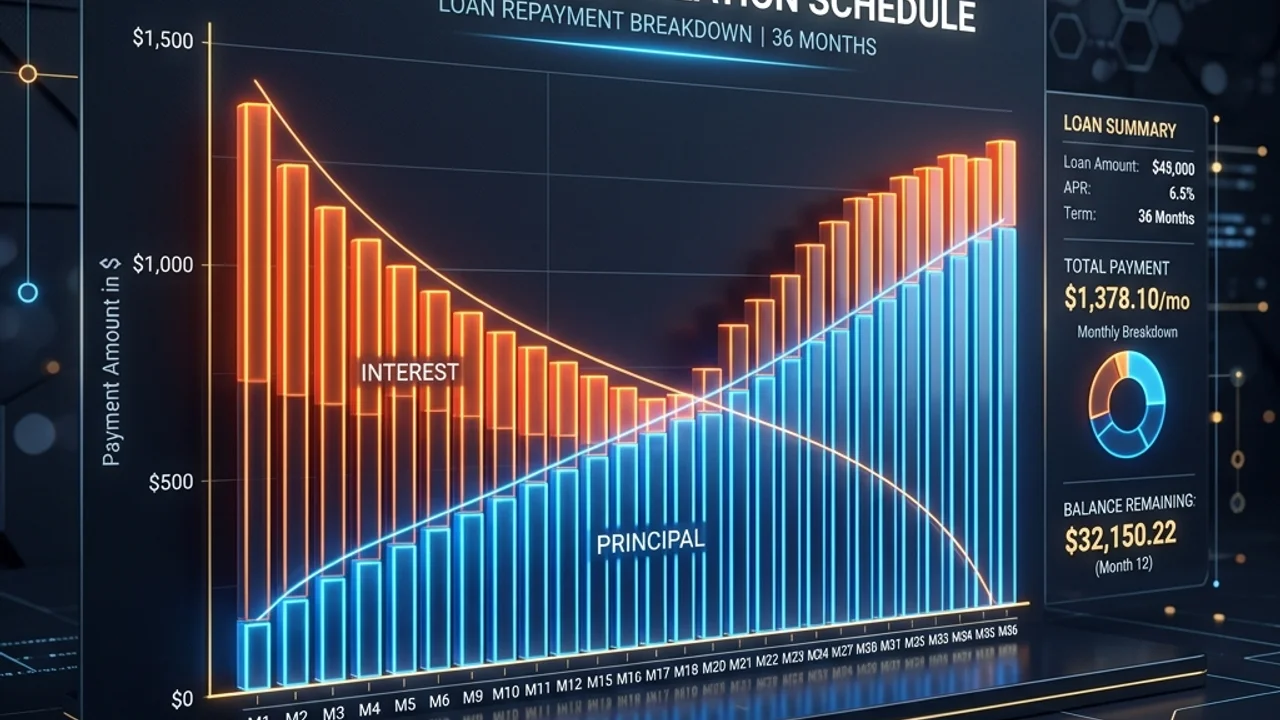
When shopping for a mortgage, car loan, or personal loan, you will almost certainly encounter the term amortization. Most consumer loans are fully amortized, meaning you pay a fixed, equal monthly payment throughout the entire term. This makes budgeting easy because you know exactly how much cash leaves your wallet every month.
However, very few borrowers understand how that monthly payment is calculated, how much of each payment goes toward the principal versus interest, and how the bank derives that exact figure. Understanding the underlying algebraic amortization formula helps you analyze the long-term cost of borrowing, calculate the savings from prepaying your principal, and make smarter financial decisions.
In this comprehensive guide, we will unpack the mathematics of amortization, show you how to calculate a loan payment manually step-by-step, and explain how to apply these rules in spreadsheet tools like Microsoft Excel.
1. The Mathematics of the Amortization Formula
The primary goal of an amortizing loan is to determine a constant periodic payment M such that the present value of all future payments equals the original loan principal P. In finance, this is solved using the present value of an annuity formula.
The standard amortization formula to calculate the equal monthly payment is:
The Amortization Equation
M = P × [ r(1+r)^n / ((1+r)^n − 1) ]
M: Monthly payment amountP: Principal loan balance (the borrowed amount)r: Monthly interest rate (annual interest rate divided by 12)n: Total number of payments (loan term in years multiplied by 12)
Comparing Amortization Styles: Fixed vs. Principal Amortization
| Parameter | Amortizing (Fixed Payment) | Equal Principal Amortization |
|---|---|---|
| Monthly Payment | Constant and identical every month | High at first, decreases gradually over time |
| Principal Paydown | Slow at the beginning, accelerates near the end | Constant throughout the entire term |
| Early Interest Cost | High (interest is charged on a larger balance) | Moderate |
| Total Lifetime Interest | Higher overall interest cost | Lower overall interest cost |
2. A Real-World Manual Calculation Example
To see the equation in action, let us calculate a simple personal loan manually.
Loan Profile
- Principal Loan Amount (
P): $12,000 - Annual Interest Rate: 6.0% (expressed as a decimal: 0.06)
- Loan Term: 1 Year (12 monthly payments,
n = 12)
Step 1: Find the Monthly Interest Rate (r)
Convert the annual interest rate into a monthly rate.
r = 0.06 ÷ 12 = 0.005(or 0.5% per month)
Step 2: Compute the Exponential Factor (1+r)^n
Calculate the compound multiplier for 12 months.
(1+0.005)^12 = (1.005)^12 ≈ 1.061678
Step 3: Solve the Fraction in the Formula
Substitute the values into the fraction part of the amortization equation.
- Numerator:
r(1+r)^n = 0.005 × 1.061678 ≈ 0.0053084 - Denominator:
(1+r)^n - 1 = 1.061678 - 1 = 0.061678 - Fraction Result:
0.0053084 ÷ 0.061678 ≈ 0.0860664
Step 4: Multiply by the Principal to Find M
Multiply the loan principal by our fraction result to get the monthly payment.
M = 12,000 × 0.0860664 ≈ $1,032.80
For a $12,000 loan at 6% interest for one year, you will pay exactly $1,032.80 per month. Over the 12-month period, your total payments will equal $12,393.60, meaning the total interest you pay over the life of the loan is $393.60.
3. Calculating with Excel PMT function
Instead of performing long algebra by hand, you can solve this formula in seconds using Microsoft Excel or Google Sheets with the built-in PMT function.
The PMT Syntax
=PMT(monthly_rate, total_months, loan_amount)
For our $12,000 example, you would enter this formula into an Excel cell:
=PMT(6%/12, 12, 12000)
- Output:
-$1,032.80(Excel formats the output as a negative number to reflect cash outflow.)
4. Frequently Asked Questions (FAQ)
Q1. Why does the ratio of interest to principal change each month?
Even though your total payment stays constant, the interest is calculated monthly based on the remaining loan balance. In month one, your balance is high, so the interest charge is at its peak. As you pay down the principal, the outstanding balance decreases, which shrinks the monthly interest portion. Consequently, more of your fixed payment is directed toward paying off the actual principal each month.
Q2. Is it beneficial to make extra principal payments early in the term?
Absolutely. Since interest accrues on the remaining balance, any extra principal payment reduces the outstanding balance immediately. This means that in all subsequent months, less interest will accrue, allowing a larger percentage of your regular payment to pay down the remaining principal. Prepayments can save you thousands of dollars in lifetime interest and shorten your loan term significantly.
5. Calculate Instantly in Your Browser
Understanding the formula helps you see the gears turning under the hood. When you want to simulate different loan terms, compare repayment strategies, or check complete amortization schedules, you can use our free browser-based tool.
Our Loan Repayment Calculator implements this formula and shows the period-by-period split between principal and interest. The matching PMT, PPMT and IPMT formulas are provided with your own figures already filled in, so you can verify the result in a spreadsheet. Everything runs in your browser, so your loan details never leave your device.